Your OrizzonCart Journey
Create online stores & sell through OrizzonCart Marketplace
OrizzonCart wants to sell for you. Free to launch. No coding. Your own store link + WhatsApp selling + Marketplace exposure.
Free forever to launch · Pay only when you activate selling
Perfect for
How do you get started?
Four clear steps. About 10 minutes. Zero coding. Then OrizzonCart Marketplace can sell for you.
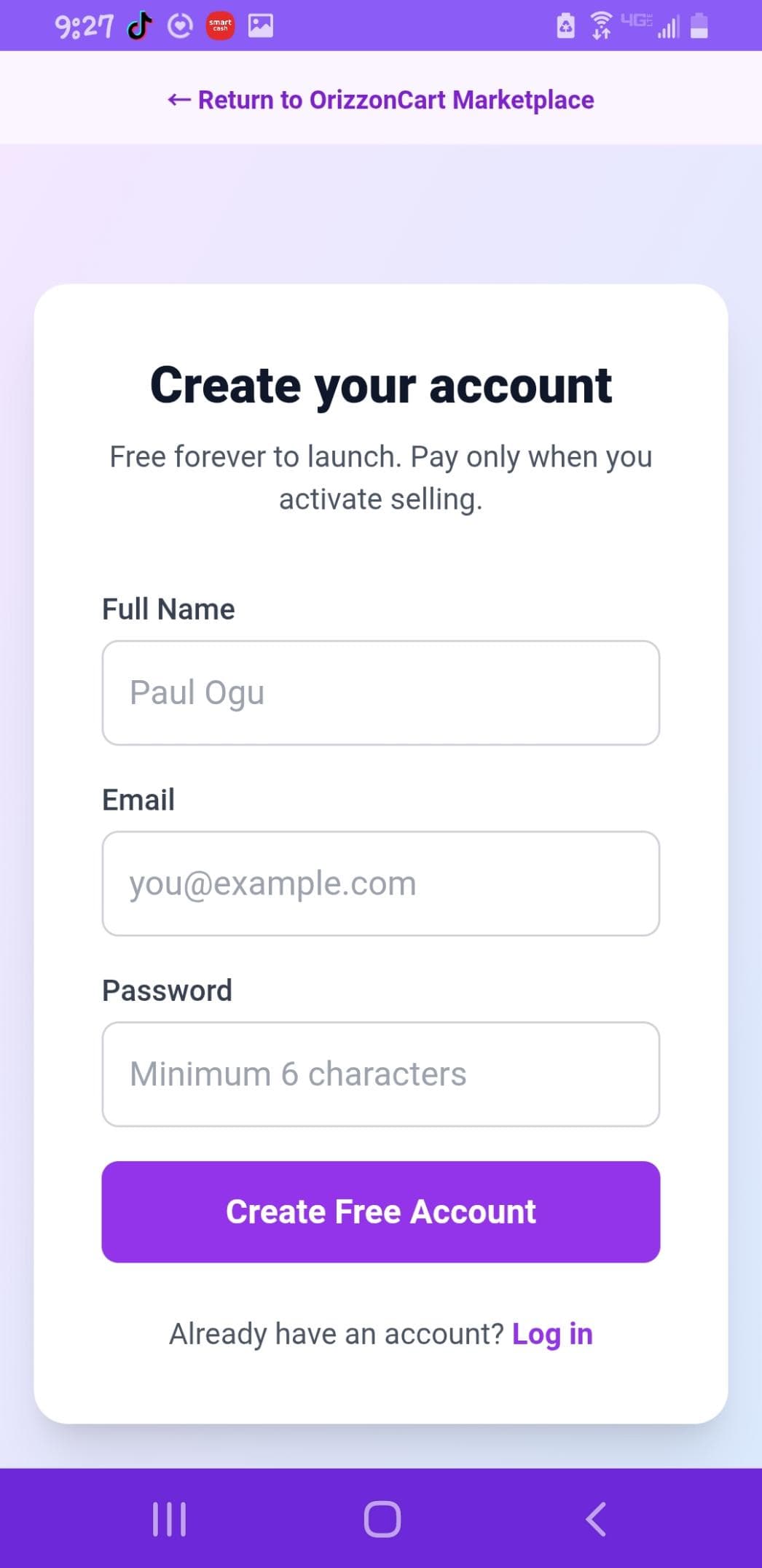
Sign up — Create your free account
Open OrizzonCart and create your free account in seconds. No credit card required.
- ✓ Full Name
- ✓ Password (minimum 6 characters)
Add your store details
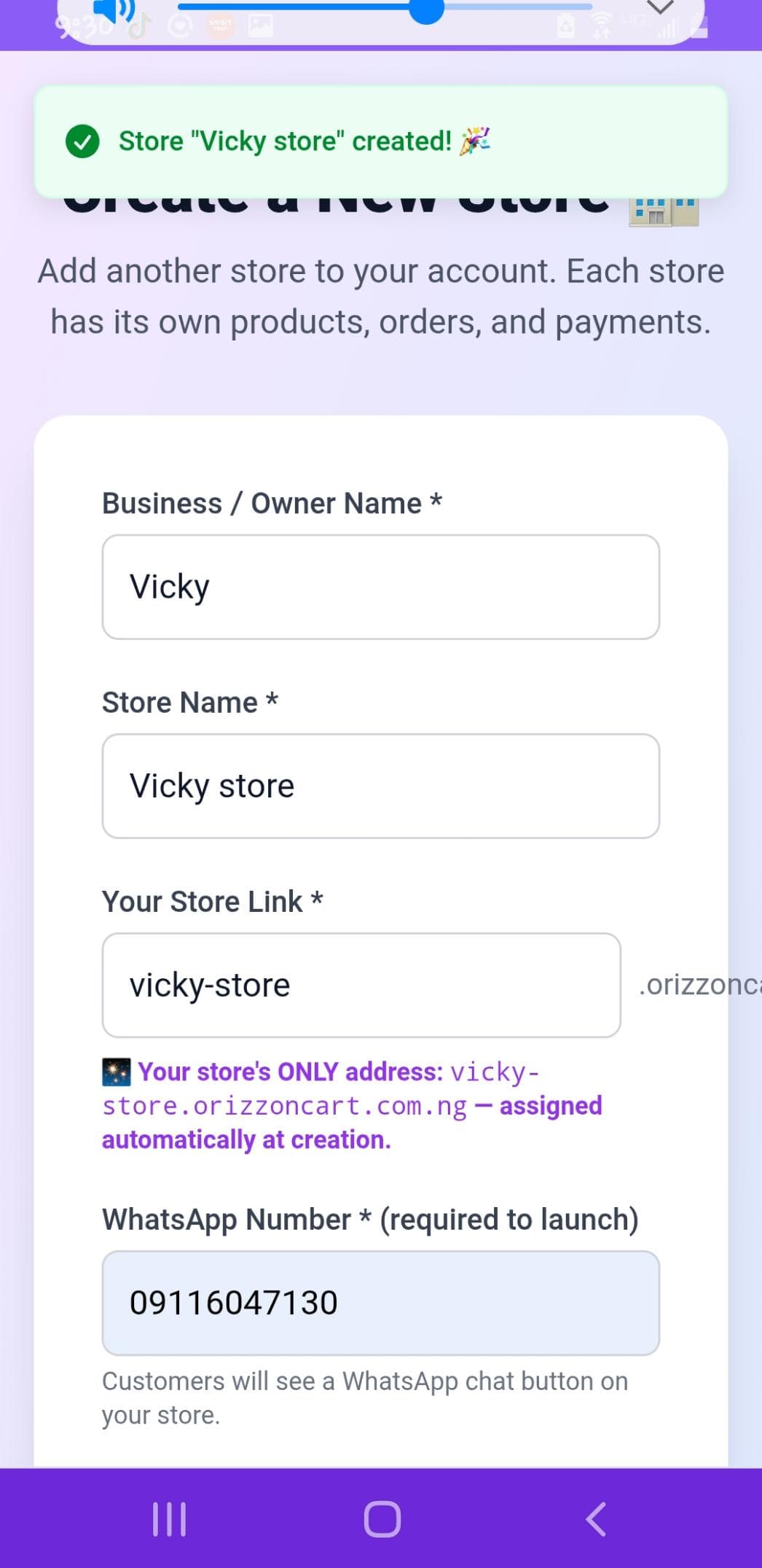
Give your business a name, choose your store link, add WhatsApp number and select physical or digital goods.
- ✓ Business / Owner Name
- ✓ Store Name & unique link
- ✓ WhatsApp Number (required to launch)
- ✓ Physical Goods or Digital Goods
Your store's ONLY address is assigned automatically at creation (e.g. vicky-store.orizzoncart.com.ng).
Choose merchant type & launch
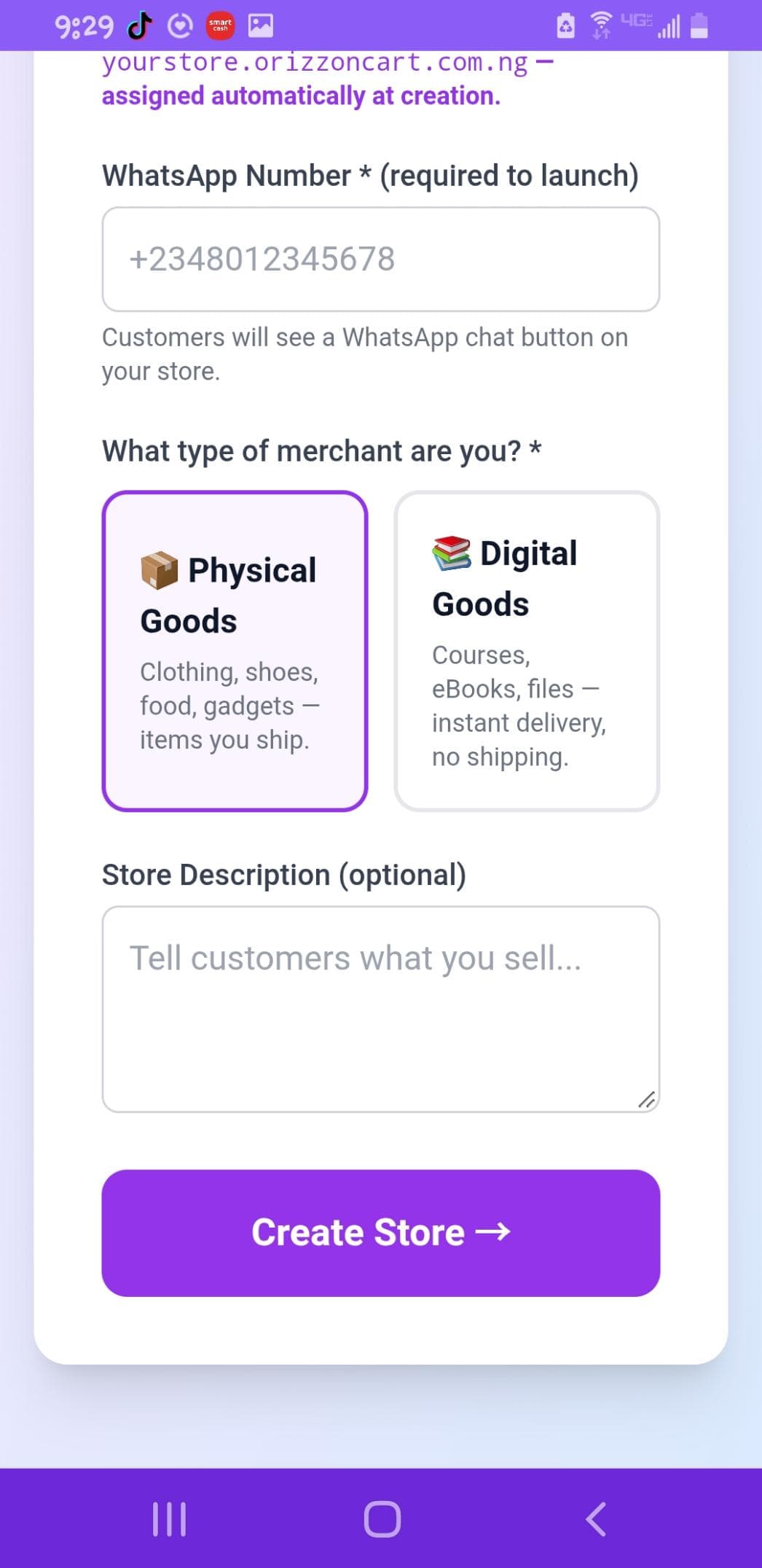
Select Physical Goods (clothing, shoes, food, gadgets) or Digital Goods (courses, eBooks, files). Add an optional store description and hit Create Store.
- ✓ Physical or Digital goods selector
- ✓ Optional store description
- ✓ One-click Create Store
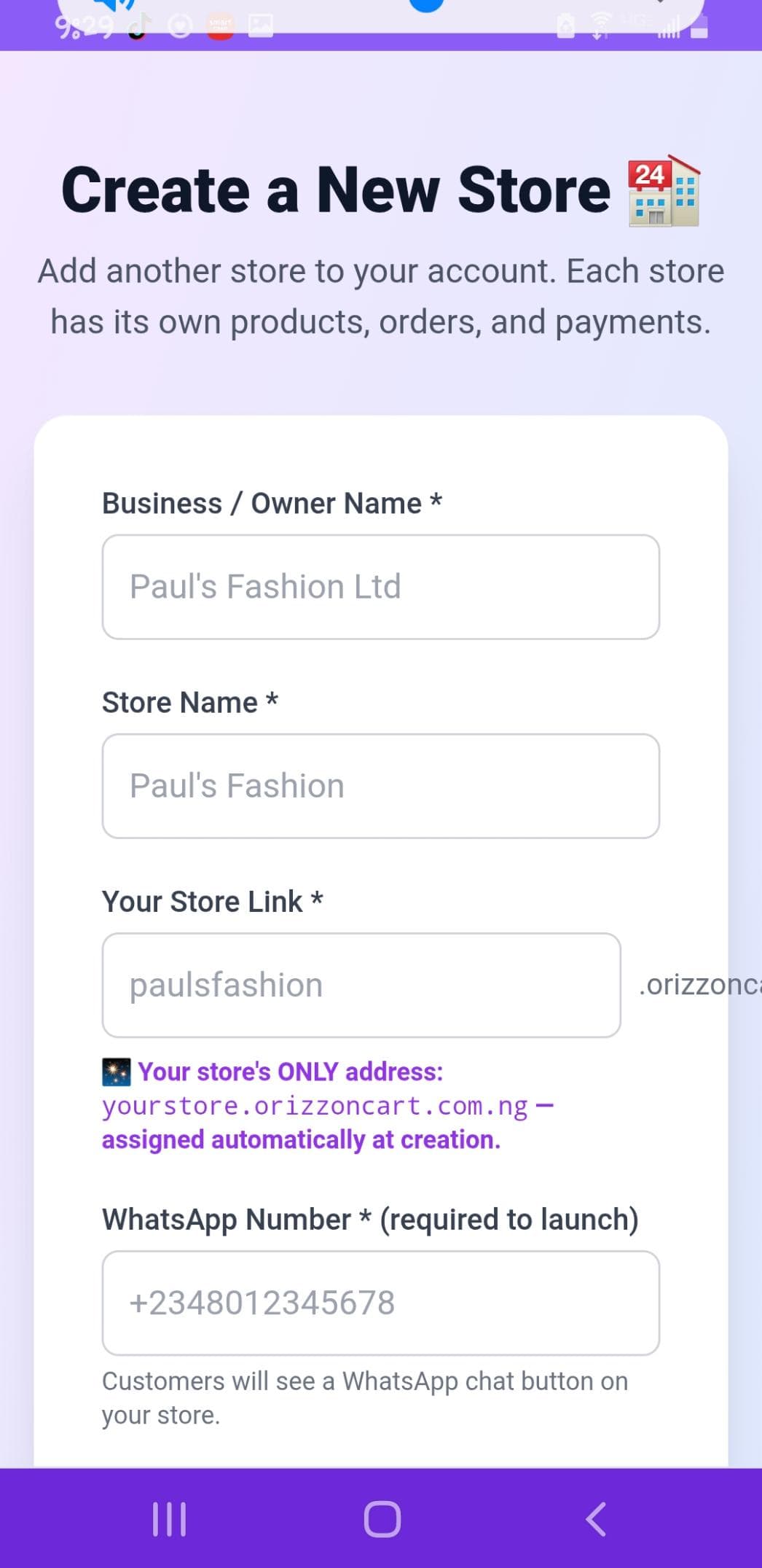
Example: Fashion store setup
Real example of filling Business Name, Store Name and Store Link. Your unique link is ready instantly.
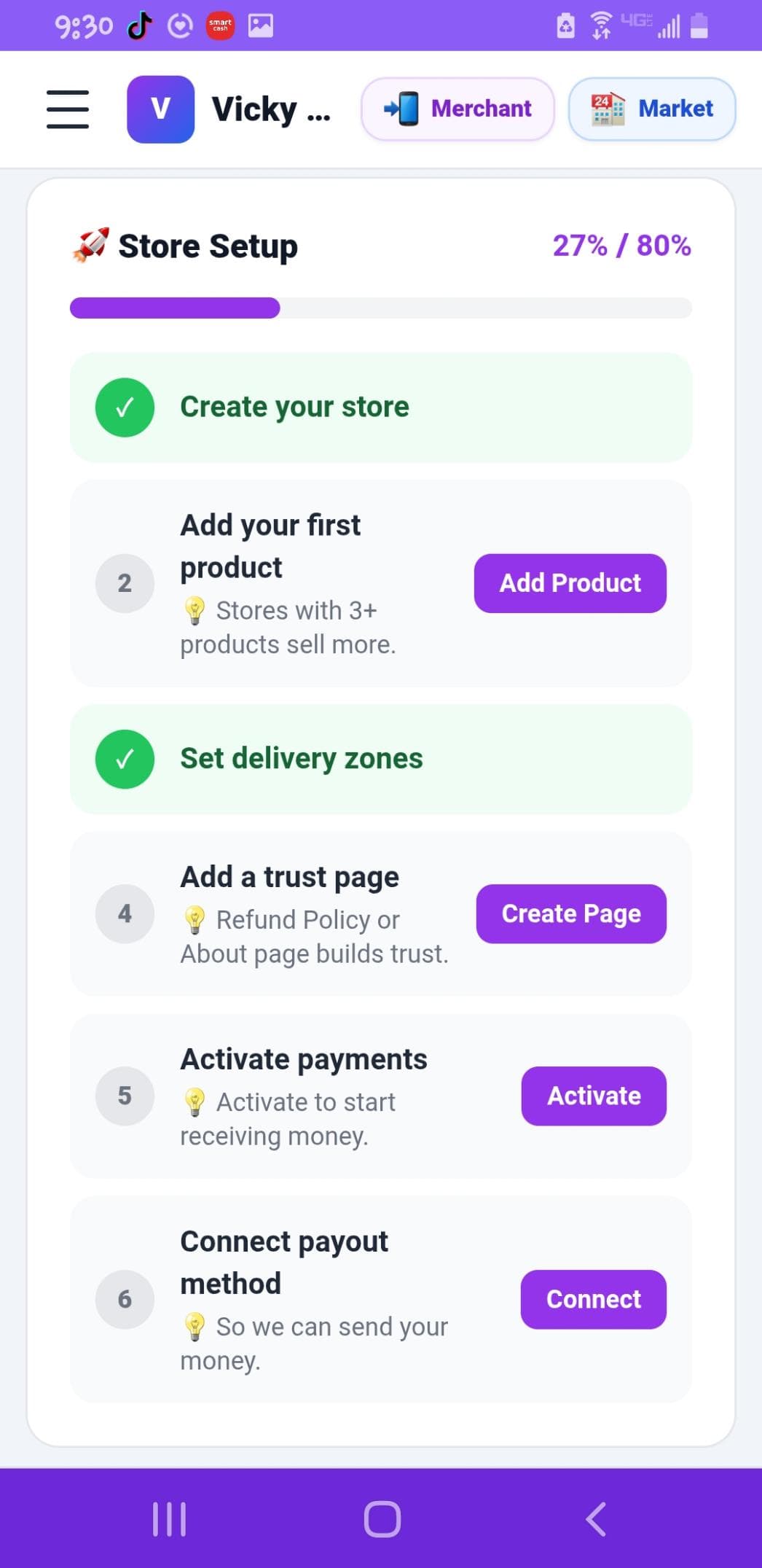
Follow the onboarding dashboard
After creating your store you land on the Merchant dashboard. Complete these setup steps to start selling:
- ✓ Create your store (done)
- ✓ Add your first product (stores with 3+ products sell more)
- ✓ Set delivery zones
- ✓ Add a trust page (Refund Policy or About)
- ✓ Activate payments
- ✓ Connect payout method
You access your merchant / seller dashboard through the Marketplace app (Merchant tab).
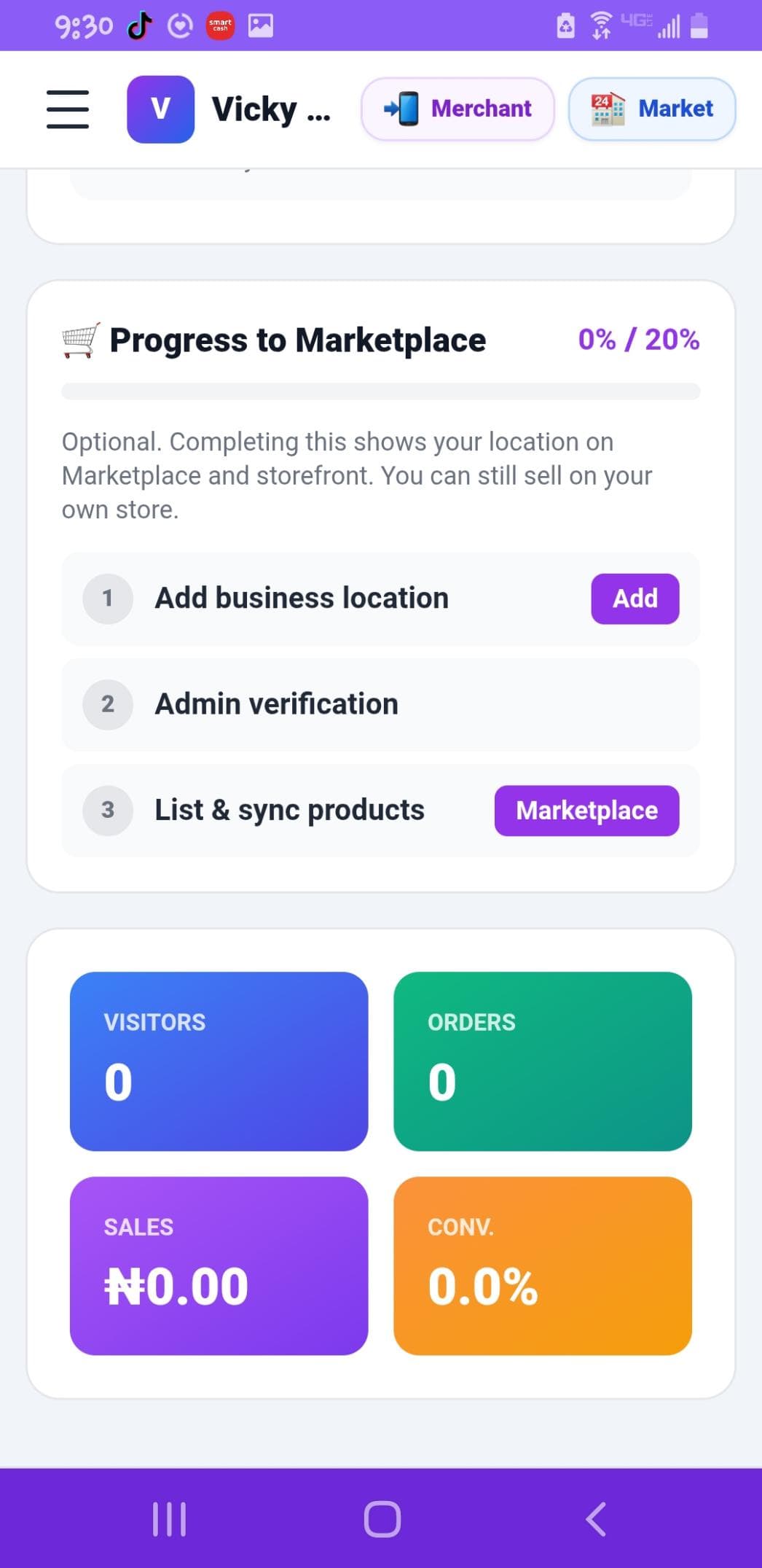
Progress to Marketplace (optional but powerful)
Complete these extra steps so your store appears on the OrizzonCart Marketplace and gets more visibility:
- ✓ Add business location
- ✓ Admin verification
- ✓ List & sync products to Marketplace
You can still sell on your own store even without Marketplace listing.
Check the Marketplace
Once you have products and complete the optional Marketplace steps, check if your store profile and products have appeared on OrizzonCart Marketplace.
- ✓ Active Stores section
- ✓ Flash Deals
- ✓ Discover products from verified Nigerian sellers
- ✓ Your store image & profile visible to shoppers
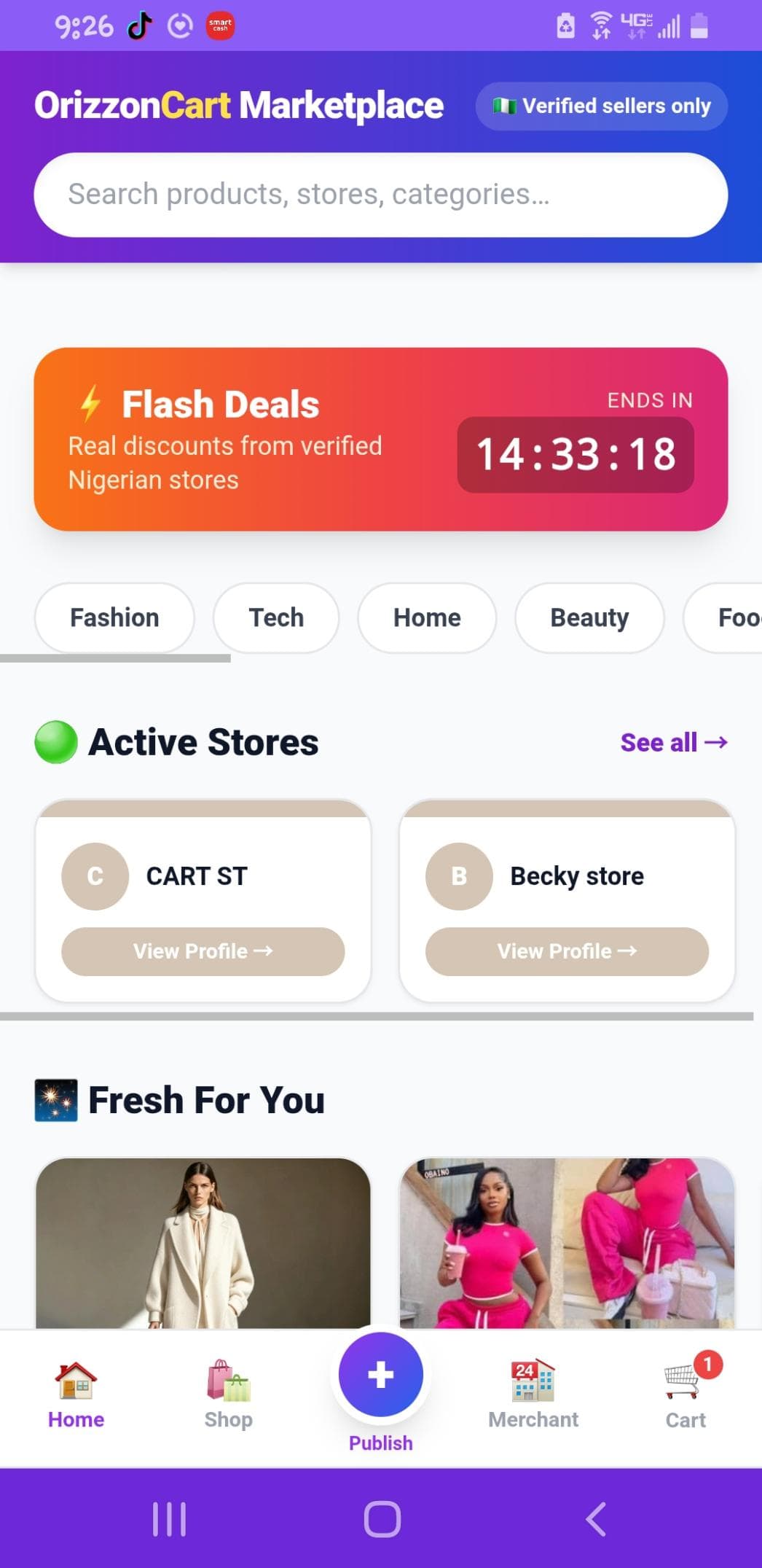
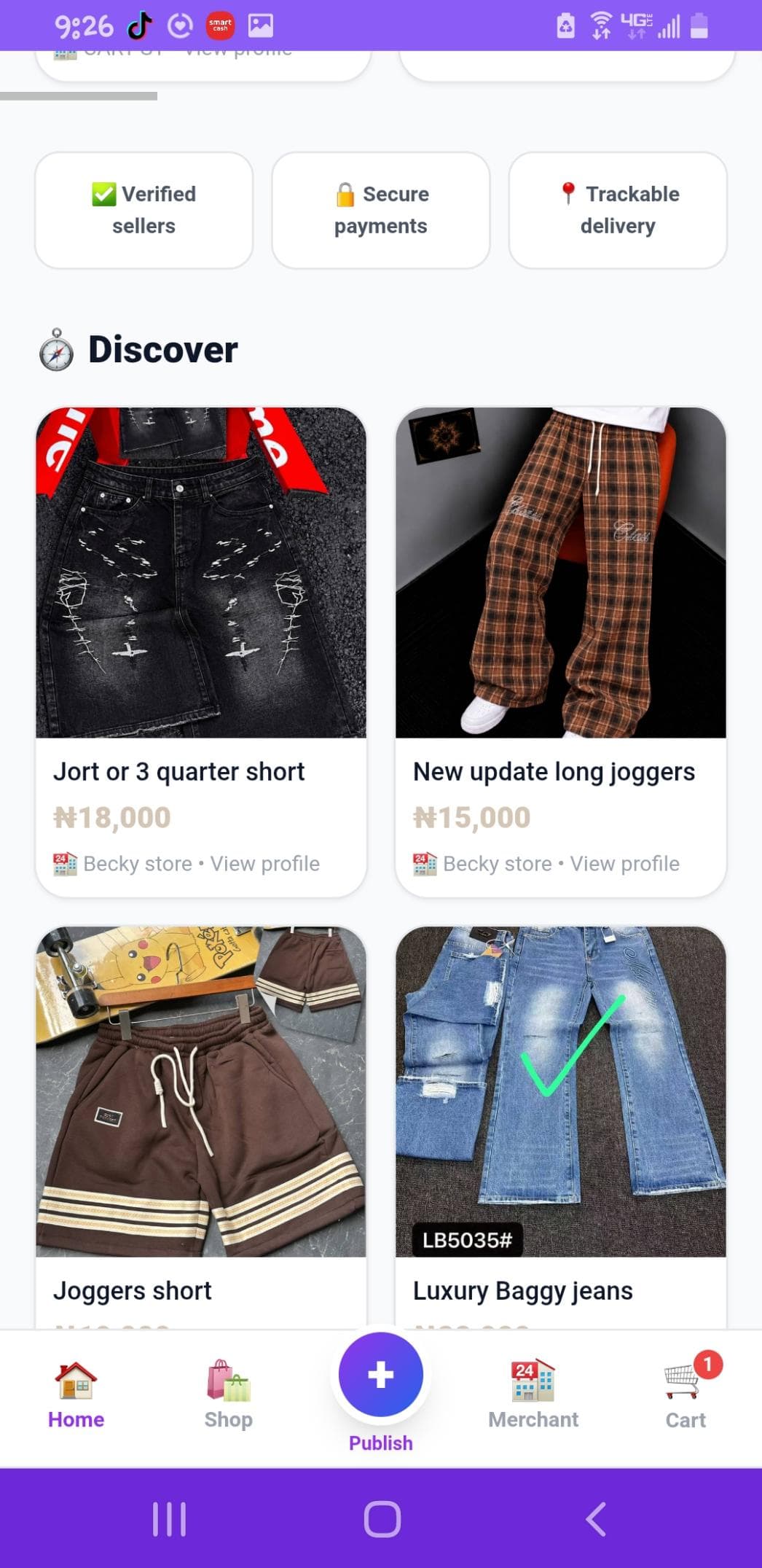
Your products can appear here
Fashion, beauty, food, tech and more — verified sellers only, secure payments, trackable delivery. OrizzonCart Marketplace sells for you.
Already have an account?
Sign in any time to manage your OrizzonCart store. Access your merchant dashboard from the Marketplace app.
Sign In →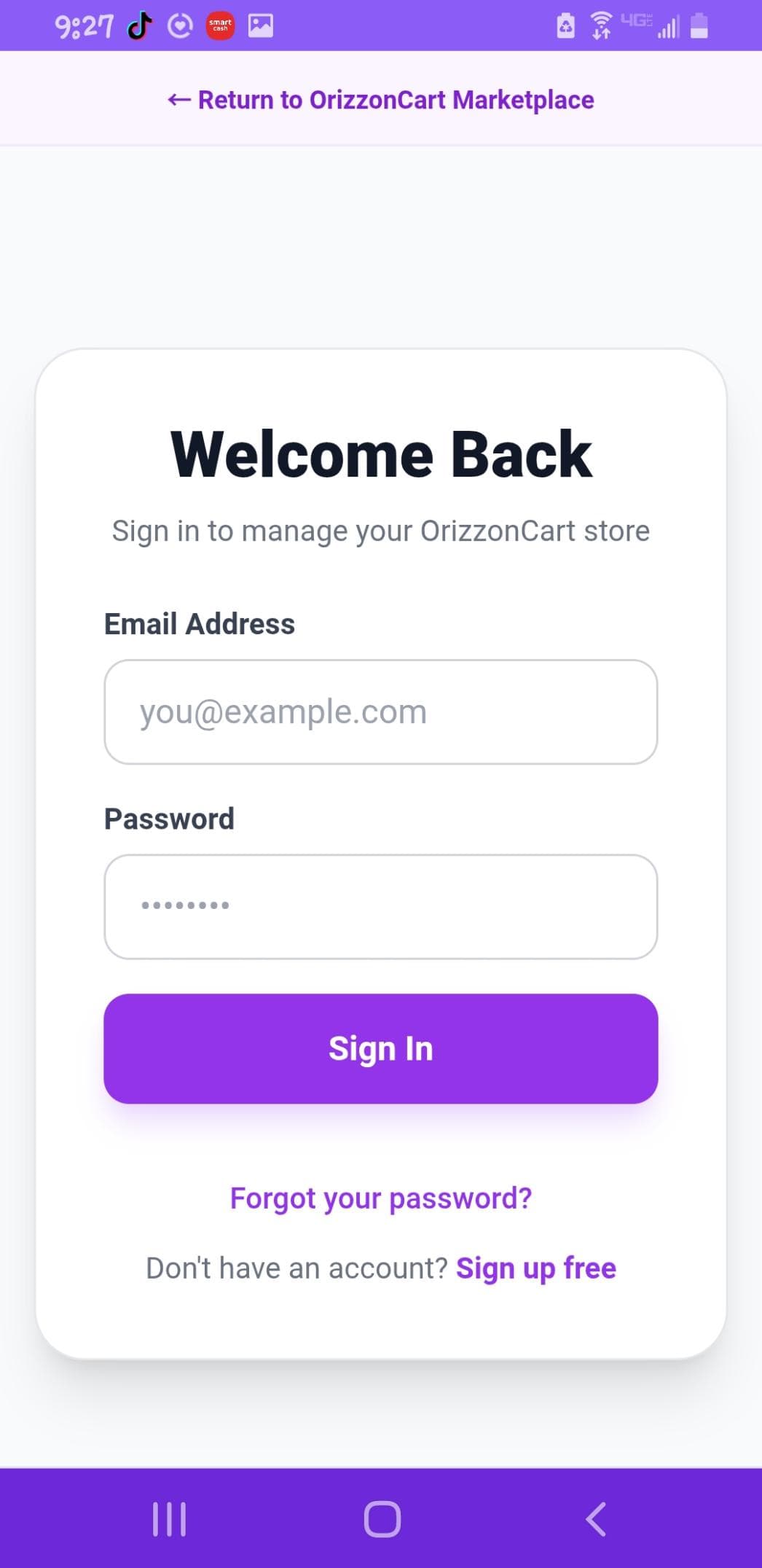
How to reach your Merchant / Seller Dashboard
Open the OrizzonCart Marketplace app → tap the Merchant tab at the bottom. That is where you manage products, orders, delivery zones, payments and payouts.
OrizzonCart Marketplace sells for you
Verified Nigerian stores. Flash deals. Secure payments. Trackable delivery. Your products reach more customers while you keep your own store link and WhatsApp selling.
Explore MarketplaceStart your OrizzonCart Journey today
Create online stores in minutes. Sell online. Let OrizzonCart Marketplace work for you.
orizzoncart.com.ng · Free to launch · Built for Nigeria